
Download BitMeter II – monitor internet speed, track internet usage, analyze bandwidth, real-time internet stats, internet connection tracker
Overview
BitMeter II is a focused utility designed to help users monitor their internet connection with precision and consistency. Though it may appear minimalistic in design, the app delivers robust functionality centered around tracking bandwidth usage and performance over time. Its primary purpose is to provide users with a reliable method of analyzing upload and download speeds, enabling informed decisions about network behavior. This makes it especially valuable for broadband users who require detailed insight into their connection trends, such as identifying congestion patterns or verifying service-level agreements.
The app stores comprehensive statistics in a local database, preserving data from the moment of installation. This continuous logging allows users to review historical performance, which is critical for diagnosing intermittent connectivity issues or assessing long-term network stability. While the developer did not provide additional technical details about the app’s architecture or data encryption methods, the persistent data storage model suggests a commitment to reliability and user data retention.
Target users include home network administrators, remote workers, and tech-savvy individuals who prioritize network transparency. The app fits into the broader productivity ecosystem by supporting digital efficiency through better network awareness. Although the developer did not specify formal user demographics, the app’s focus on real-time metrics and long-term tracking indicates a niche audience seeking granular control over their internet experience. Its release in 2010 underscores its longevity, reflecting a stable and mature tool for those who value consistency over flashy features.
Key Features & Functionality
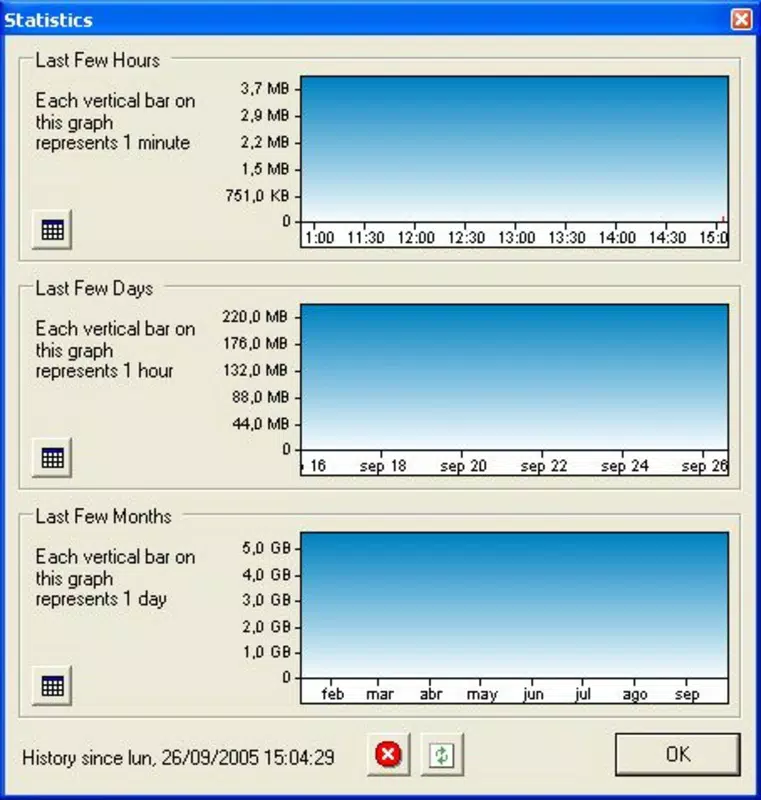
- Comprehensive Statistics: BitMeter II maintains a persistent database of upload and download activity since installation. This enables users to analyze trends over days, weeks, or months, providing a clear picture of bandwidth consumption and performance consistency.
- Real-Time Monitoring: The app offers live updates on current connection speeds, allowing users to observe fluctuations during peak usage times or while running bandwidth-intensive tasks like video streaming or file transfers.
- Customizable Alerts: Users can set threshold-based notifications for both upload and download speeds. If the connection drops below a predefined level, the app triggers an alert, helping users respond quickly to potential network issues.
- Lightweight Operation: Designed to consume minimal system resources, BitMeter II runs efficiently in the background without affecting other applications or device performance.
- Free to Use: The app is available at no cost, making it accessible to users across different economic backgrounds who want to monitor their internet without financial commitment.
For example, a remote worker might use BitMeter II to verify if their internet speed meets the minimum requirements for a video conference, while a household with multiple connected devices could use it to detect bandwidth hogs during peak hours. Similarly, a user on a limited data plan might rely on the historical data to identify usage spikes and adjust their behavior accordingly. These practical applications highlight the app’s utility in everyday digital life.
Interface, UX & Performance
BitMeter II presents a clean, minimal interface that prioritizes functionality over visual flair. The layout is straightforward, with core metrics—such as current speed, total data transferred, and historical trends—displayed in an easily digestible format. Navigation is intuitive, allowing users to switch between real-time data and historical logs with minimal effort.
The visual style is functional, relying on simple graphs and text-based indicators rather than animated elements or complex UI components. This design choice contributes to the app’s lightweight nature and ensures consistent performance across a wide range of devices. Although the developer did not list formal performance metrics, the app’s minimal resource footprint suggests it operates smoothly even on older or lower-end Android devices.
Responsiveness is maintained during active monitoring, with updates occurring at regular intervals without noticeable lag. Stability appears to be a strength, given the app’s long-standing presence since 2010. However, compatibility information was not fully disclosed, and specific requirements were not listed. Users should expect consistent behavior across standard Android environments, but performance on newer or highly customized OS versions may vary without official confirmation.
Platform Compatibility & Technical Requirements
BitMeter II is available on the Android platform and is designed to operate within the Android ecosystem. The current version is 2.0.1, with a file size of 1.3 MB, indicating a compact and efficient application. The developer did not specify minimum OS requirements or compatibility with specific Android versions.
Given the app’s release date of 2010 and its small footprint, it is likely compatible with a broad range of Android devices, including older models. However, users should exercise caution when installing on newer Android versions, as legacy apps may encounter compatibility issues due to updated system policies or API changes. The absence of formal requirements means that installation success may depend on the device’s configuration and system settings.
Pros and Cons
Pros
- Comprehensive historical data tracking from installation date
- Real-time monitoring of upload and download speeds
- Customizable alerts for performance thresholds
- Extremely lightweight with minimal system resource usage
- Completely free to download and use
Cons
- Developer did not provide detailed technical specifications
- Compatibility with newer Android versions was not confirmed
- Interface is minimal and may lack visual appeal for some users
- No cloud sync or cross-device data sharing available
- Updates may be infrequent due to long release cycle
FAQ
Is BitMeter II safe to download and install?
Yes, BitMeter II is a free application with a long-standing presence in the Android ecosystem. While the developer did not provide security details, the app’s small size and lack of unnecessary permissions suggest it poses minimal risk when downloaded from trusted sources.
Can I use BitMeter II on my Android device?
Yes, BitMeter II is designed for Android devices. However, the developer did not specify minimum OS requirements, so compatibility may vary depending on your device’s configuration and Android version.
Does BitMeter II require internet access to function?
While the app monitors internet usage, it does not require constant internet access to operate. It functions locally, storing data on the device and analyzing connection metrics without relying on external servers.
Are there any in-app purchases or ads?
No, BitMeter II is completely free to use with no in-app purchases or advertisements. The app remains ad-free, which contributes to its lightweight and uninterrupted user experience.
How often does BitMeter II update its data?
BitMeter II updates connection statistics at regular intervals, though the exact frequency was not disclosed by the developer. The app maintains real-time tracking, ensuring users receive timely insights into their current internet performance.
Final Thoughts
BitMeter II stands out as a reliable, no-frills tool for users who need accurate, long-term insights into their internet connection. Its ability to track bandwidth usage from installation, combined with customizable alerts and minimal resource consumption, makes it a valuable asset for anyone managing a broadband connection. While its interface lacks modern polish, the app delivers on its core promise with consistency and transparency.
For remote workers, home office users, and network enthusiasts, BitMeter II offers a dependable way to verify performance, detect anomalies, and maintain control over digital connectivity. Its free status and low system impact further enhance its appeal. In a market filled with feature-heavy apps, BitMeter II proves that simplicity, reliability, and functionality can still thrive.
Download BitMeter II now


